Why Tampa Shippers and 3PLs Need Smarter Payment Systems

Tampa Logistics Payment Guide

Why Tampa Shippers and 3PLs Need Smarter Payment Systems

Tampa logistics companies do not just need a way to accept cards. Shippers, freight brokers, 3PLs, warehouses, and distributors need payment systems that connect invoices, customer accounts, commercial cards, accounting software, and operational reporting without creating extra manual work.

From Port Tampa Bay and Channelside to the warehouse corridors along the I-4 and I-75 routes through Brandon, Plant City, and toward Lakeland, freight moves fast — and payment workflows should be able to keep up.

Tampa-Based Advisor NMI + CardPointe Options Level 2 / Level 3 Guidance QuickBooks + ERP Integration B2B Invoice Workflows
Tampa logistics warehouse payment workflow
OmniPayUSA
Tampa, FL · B2B Payment Technology Advisor
Tampa Logistics B2B Payments Gateway + ERP

Tampa Logistics Moves Fast. Payment Workflows Often Do Not.

Tampa's logistics environment includes Port Tampa Bay activity, warehouses, regional distribution, local delivery, freight brokerage, contractor supply, and B2B services. The work moves through docks, dispatch offices, accounting desks, customer portals, and email inboxes. But in many companies, payments still depend on manual invoices, phone payments, spreadsheets, and disconnected systems.

Much of this activity flows along the I-4 distribution corridor and connecting routes through Brandon, Plant City, and toward Lakeland — one of the busiest warehouse and distribution networks in Florida.

Port Tampa Bay shipping and distribution business
Port Tampa Bay and the surrounding industrial corridors are part of a logistics network that includes Channelside, East Tampa, and the warehouse routes along I-4 and I-75.
Local Context

Freight moves by route, reference number, bill of lading, customer account, PO, and invoice. Your payment system should be able to follow that same logic.

The Real Problem

The Real Payment Problem Is Not Just Taking the Card

For shippers and 3PLs, accepting a payment is rarely the hard part. The hard part is what happens — or doesn't happen — afterward.

Tampa logistics warehouse payment workflow

Payments Are Not Connected to Invoices

If the payment record does not match the invoice, shipment ID, customer account, PO number, or bill of lading, the accounting team has to investigate later.

Commercial Cards Need Better Data

Many logistics customers pay with corporate, purchasing, or fleet-related cards. Those transactions often need more structured data than a basic retail card sale.

Dispatch and Accounting See Different Information

Dispatch may see the job as complete, while accounting is still waiting on payment confirmation, deposit reports, or customer details.

Manual Reconciliation Slows Down Cash Flow

When payments, invoices, fees, and deposits live in separate places, closing the day or month takes longer than it should.

A Payment System Is Part of the Freight Workflow

For shippers and 3PLs, payment is not the last step. It is part of the workflow. A payment can confirm accessorial charges, close out a route, update a customer account, trigger receipt records, help accounting match deposits, and support repeat billing.

In logistics, the question is not only "Did we get paid?" The better question is, "Can we match the payment to the shipment, invoice, customer, and deposit without chasing it later?"

When the payment step is treated as part of the workflow instead of an afterthought, the rest of the operation — dispatch, accounting, customer service — tends to run more smoothly too.

Why Level 2 and Level 3 Data Matter for B2B Payments

Many logistics and supply chain customers use commercial cards, purchasing cards, or corporate cards. Basic card transactions may only include Level 1 data. Level 2 and Level 3 data can include additional details such as customer codes, PO numbers, tax amounts, invoice details, item-level information, freight-related references, and other structured data.
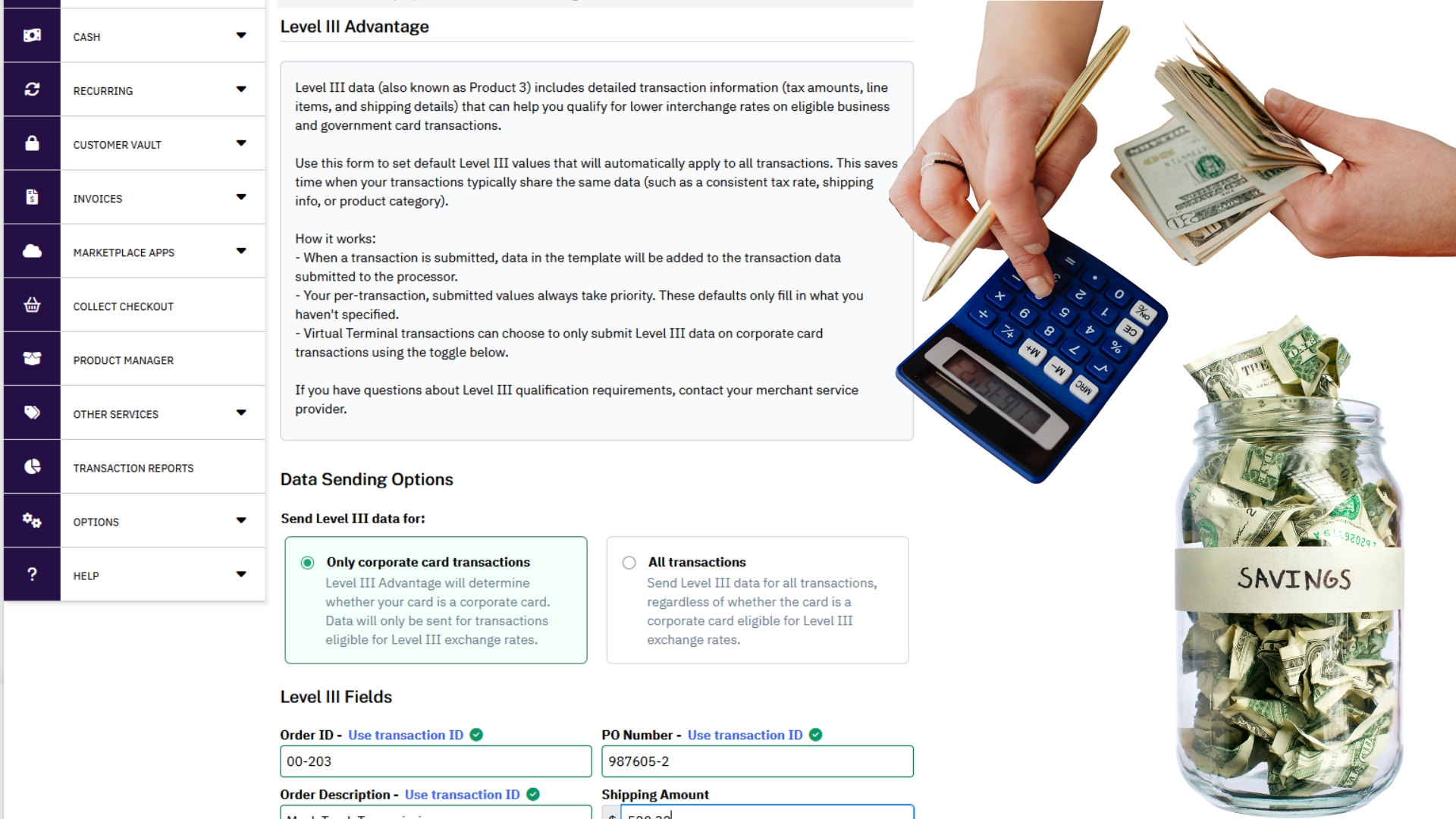
B2B invoice payment system for shippers and 3PLs
Including better data may help eligible B2B transactions qualify for optimized interchange depending on card type, processor setup, data quality, and network rules. It is not automatic, but it is worth reviewing for invoice-heavy companies.

Fields Worth Reviewing

Customer code
PO number
Tax amount
Invoice number
Freight amount or shipping detail where applicable
Line-item detail where supported
Destination or shipping information where supported
Commercial card type
Transaction reference fields

Where NMI Can Help Logistics and B2B Operations

NMI can support flexible payment acceptance for businesses that need gateway-based workflows, virtual terminals, payment links, recurring billing options, customer vault/tokenization, and integration-friendly payment operations. Actual feature availability depends on the merchant setup, processor configuration, and enabled services.
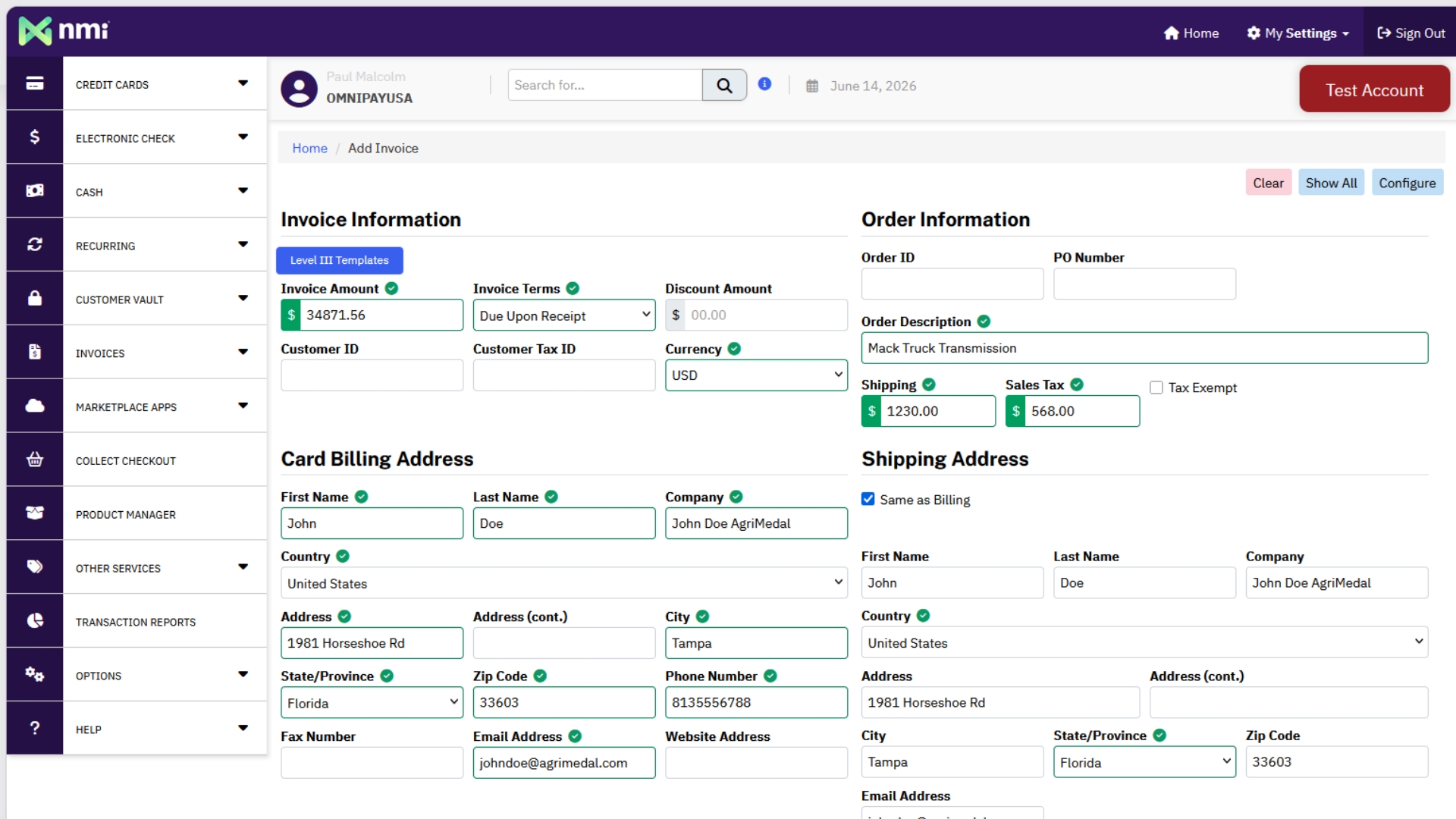
Payment gateway dashboard for logistics accounting
Virtual Terminal for Office Teams
Payment Links for Invoices or Accessorial Charges
Customer Vault / Tokenization for Repeat Customers
Recurring or Repeat Billing Where Appropriate
Hosted Payment Options
Integration-Friendly Gateway Workflows
Accounting Connection Options
Useful for Multiple Customer Payment Paths

Where CardPointe Can Help With Secure B2B Payment Workflows

CardPointe can support gateway-based payment acceptance, tokenization, hosted payment options, reporting, transaction management, and integrated payment workflows. For logistics businesses, the value is not only accepting the payment. It is creating a cleaner record that accounting and operations can use later.

CardPointe Gateway
Hosted Payment Page Options
Tokenization
Reporting and Transaction Visibility
Virtual Terminal Workflows
Integrated Payments
Level 2 / Level 3 Support Where Configured
Commercial Card + Invoice-Based Flows
Accounting Connection

Payments Should Not Create More Accounting Work

Many shippers, 3PLs, and distributors already use QuickBooks, ERP systems, or accounting workflows to manage invoices, customer balances, sales orders, purchase orders, and deposits. A smarter payment setup should help reduce duplicate entry and make reconciliation easier — whether that's QuickBooks, NetSuite, Sage, Xero, Acumatica, Microsoft Dynamics, or another ERP-style system.

QuickBooks and ERP integration for payment reconciliation

QuickBooks Integration

Best for businesses that need payment records to connect with invoices, customer accounts, deposits, and accounting workflows without retyping everything.

Review QuickBooks Integration

ERP Integration

Best for larger logistics, distribution, and B2B operations that need payment data to connect with order management, customer accounts, invoices, reporting, and back-office systems.

Review ERP Integration

What a Smarter Logistics Payment Flow Can Look Like

A practical, step-by-step view of how a payment can move from the shipment to the books.

1

Invoice or Shipment Charge Is Created

The order, shipment, storage fee, accessorial charge, or customer invoice is identified with the right reference details.

2

Payment Request Is Sent or Entered

The customer pays by secure payment link, hosted page, virtual terminal, saved payment method, ACH, or commercial card where appropriate.

3

Level 2 / Level 3 Data Is Included When Eligible

The transaction includes stronger B2B data fields where supported and properly configured.

4

Payment Record Connects to Accounting

The transaction can be exported, synced, or reconciled with QuickBooks, ERP, or reporting tools.

5

Accounting Can Close Faster

The team spends less time hunting for missing references, mismatched deposits, or unclear customer payments.

Best Fit By Business Type

Which Tampa Logistics Businesses Should Review Their Payment Setup?

Different operations collect money differently — here's how the pieces tend to map to different business types.

Freight Brokers

Need fast invoice collection, customer references, commercial card support, and clean settlement reporting.

3PL Warehouses

Need payment workflows for storage, handling, accessorial fees, fulfillment, and recurring customers.

Drayage and Local Delivery Companies

Need payment links, office-based virtual terminal options, route-related reference fields, and fast confirmation.

Distributors and B2B Suppliers

Need customer account payment options, invoice matching, Level 2/3 review, and QuickBooks or ERP connection.

Manufacturers and Industrial Suppliers

Need payment workflows that support POs, commercial cards, deposits, customer terms, and reporting.

Service and Repair Vendors Serving Logistics

Need fast payments for emergency repairs, dispatch work, parts, and recurring accounts.

Quick Payment Audit for Shippers and 3PLs

A short self-check any operations or accounting lead can run through in a few minutes.

Accounting team reviewing freight invoices and payments
Can every payment be tied to an invoice or shipment reference?
Can the team accept commercial cards with the right data fields?
Are Level 2 / Level 3 fields being reviewed?
Can customers pay by secure link?
Does the office have a virtual terminal?
Are saved customer payment methods tokenized securely?
Do deposits match reports clearly?
Does payment data sync or export into QuickBooks?
Can the system connect to ERP workflows if needed?
Are chargebacks, refunds, and adjustments easy to trace?
Are permissions separated by role?
Is there a backup workflow if the main system is down?

OmniPayUSA Helps B2B Companies Choose the Right Payment Stack

OmniPayUSA helps Tampa and Florida businesses compare gateway, virtual terminal, invoice payment, Level 2/Level 3, QuickBooks, ERP, and reporting options based on how they actually collect money. The goal is not to force a logistics company into a retail-style setup. The goal is to build a payment workflow that supports invoices, customer accounts, commercial cards, and reconciliation.

That can include NMI Gateway, CardPointe Gateway, Level 2/Level 3 optimization review, QuickBooks integration, ERP integration, virtual terminal, payment links, and a full B2B payment setup review.

FAQ: Payment Systems for Tampa Shippers and 3PLs

Why do shippers and 3PLs need different payment systems than retail businesses?
Logistics companies often need payments tied to invoices, shipment IDs, customer accounts, POs, accessorial charges, commercial cards, and accounting systems. A basic retail checkout setup may not capture enough detail.
What is Level 2 and Level 3 payment data?
Level 2 and Level 3 data are additional transaction details used in certain B2B and commercial card payments. Depending on the setup, this may include customer codes, tax amounts, invoice numbers, PO numbers, freight details, and line-item information.
Does Level 2 or Level 3 always lower processing costs?
No. It may help eligible transactions qualify for optimized interchange, but results depend on card type, processor setup, network rules, and whether the required data is submitted correctly.
How can NMI help logistics companies?
NMI can support gateway-based workflows such as virtual terminal payments, payment links, hosted payment options, tokenization, customer vault tools, recurring payments, and integration-friendly payment operations depending on setup.
How can CardPointe help logistics companies?
CardPointe can support gateway payments, hosted payment pages, tokenization, transaction reporting, virtual terminal workflows, integrated payments, and Level 2/Level 3 support where configured.
Can payment systems integrate with QuickBooks?
Yes, depending on the gateway, merchant setup, and integration method. The goal is to reduce duplicate entry and make invoices, deposits, and customer payment records easier to reconcile.
What is ERP payment integration?
ERP payment integration connects payment activity with back-office systems that manage invoices, customer accounts, orders, inventory, reporting, or financial workflows.
What should a Tampa 3PL review first?
Start with how invoices are created, how customers pay, how payment references are captured, how deposits are matched, and whether accounting has to retype or search for payment details.
Ready to Take a Look?

Make Payments Easier to Match, Track, and Reconcile

If your Tampa shipping, logistics, warehouse, or 3PL business is still chasing payments across invoices, emails, spreadsheets, gateways, and accounting software, OmniPayUSA can help review the workflow and compare better options.

Based in Tampa, FL · Supporting shippers, freight brokers, 3PLs, and distributors across the Tampa Bay region

© 2026 OmniPayUSA. All rights reserved.

Scroll to Top