Empower Your Business with Smarter Payment, Marketing & Funding Solutions.
That is why OmniPayUSA, based in Tampa, FL, takes a technology advisor approach. We help churches, government contractors, service providers, hospitality businesses, and commercial retailers compare the tools, understand the differences, and choose the payment, marketing, and funding setup that fits how their business actually runs — with support that keeps owners from having to figure it all out themselves.
The Right Payment and Business Tools, Set Up With Real Support
You should not have to run the business and become the tech support team.
Based in Tampa, OmniPayUSA helps churches, government contractors, service providers, hospitality businesses, and commercial retailers choose the tools they need to accept payments, manage operations, reach customers, and support growth.
From POS systems and payment gateways to websites, marketing, reporting, integrations, and funding options, we help you build a setup that makes sense for your business — without leaving you to figure it all out alone.
Payment Tools Should Match the Way Your Business Actually Gets Paid
A church, government contractor, service company, hotel, restaurant, and retail shop do not all need the same setup.
OmniPayUSA helps you compare terminals, gateways, kiosks, software, reporting, and support options based on how your business actually collects money, serves customers, and manages operations. Instead of handing you a device and leaving you to become your own tech support, we help you choose the right payment stack, connect the right tools, and keep everything easier for your team to manage.
CardPointe
A strong fit for B2B, government contractors, and service companies that need more than a basic terminal.
- Accept payments by terminal, mobile reader, virtual terminal, invoice, website, or over the phone
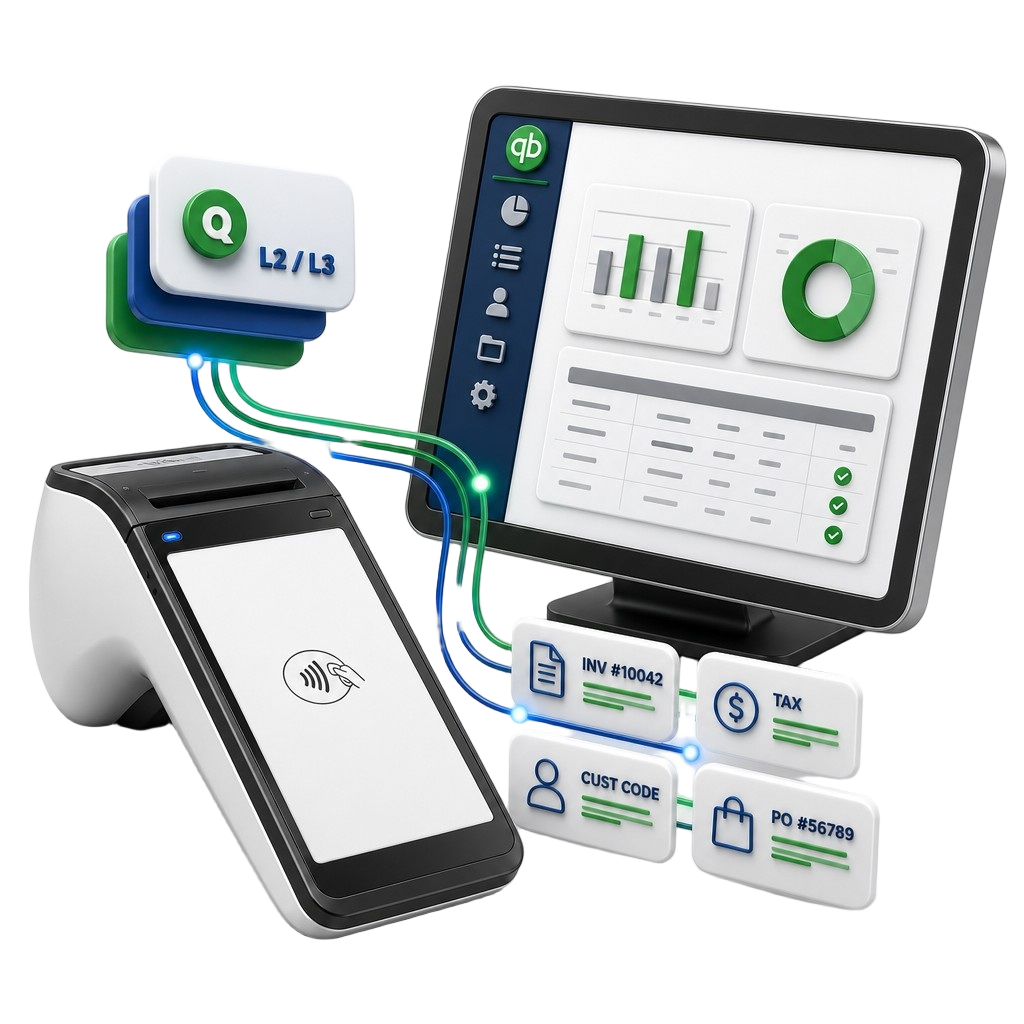
- Capture PO numbers, tax details, customer codes, and Level 2/Level 3 data for commercial-card optimization
- Manage transactions, refunds, deposits, reports, and customer payment records in one cloud portal
- Connect payments to your existing business systems instead of replacing your entire POS
Clover
A flexible all-in-one POS for businesses that want payments, sales, staff tools, gift cards, ordering, and reporting in one familiar system.
- Accept payments at the counter, tableside, curbside, online, or on the go
- Run retail, quick-service, service, healthcare, and customer-facing operations from one connected platform
- Add tools for gift cards, loyalty, online ordering, scheduling, invoices, payroll, and reporting
- Get local technology support from OmniPayUSA before and after setup
Valor PayTech
A smart payment gateway and terminal ecosystem for businesses that care about accounting sync, reporting, recurring payments, and B2B optimization.
- Accept payments in-store, online, mobile, virtual terminal, QR code, and PayNow link
- Sync payments, invoices, customer lists, products, and reports with QuickBooks
- Support ACH, recurring billing, tokenization, batch processing, multi-MID tools, and Level 2/Level 3 benefits
- A great choice when back-office cleanup matters as much as getting paid
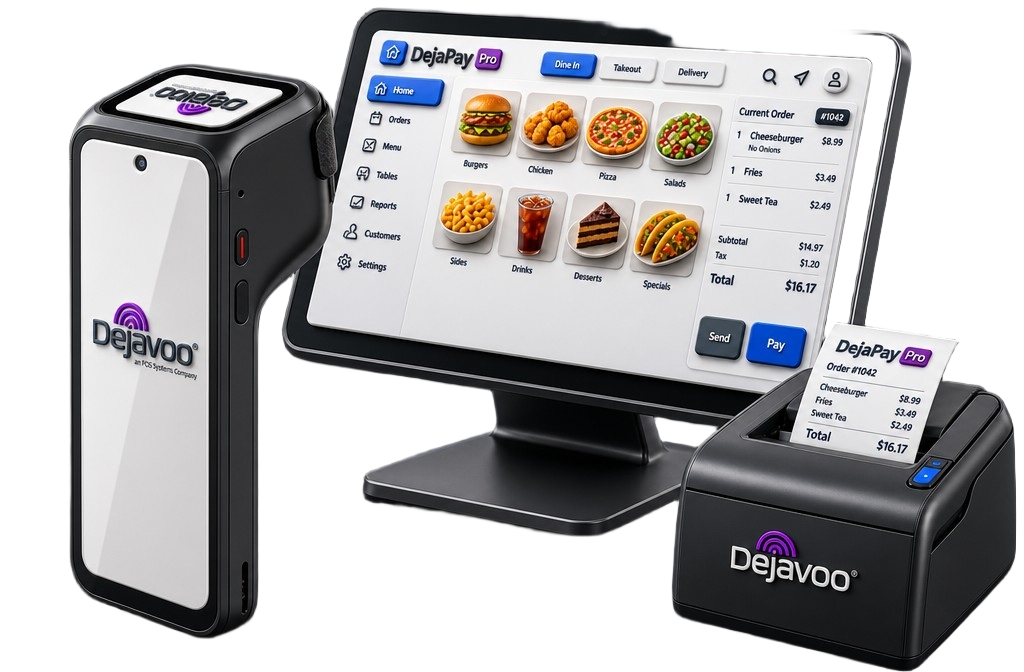
Dejavoo
A flexible terminal and gateway option for merchants that want strong hardware choices, cloud register tools, payment links, Tap to Pay, and software integrations.
- Use terminals, hosted checkout, virtual terminal, recurring payments, payment links, and tokenization
- Add L2/L3 data enrichment and S.A.F.E. fraud protection when commercial-card data and risk controls matter
- Choose from Android, Linux, wireless, PIN pad, cloud register, and Tap to Pay options
- Practical hardware flexibility without overcomplicating the setup
INFI
A self-ordering kiosk platform for restaurants, food halls, venues, and busy hospitality spaces that need shorter lines and smoother ordering.
- Let customers order and pay from kiosks while staff focuses on service and fulfillment
- Sync menus, prices, taxes, orders, and reporting with your existing POS
- Route orders to the right kitchen screen or printer for smoother multi-station operations
- Built for high-traffic food environments where speed, upsells, and order accuracy matter
Tabit
A hospitality-first POS for full-service restaurants and hotel restaurants that need tableside ordering, kitchen visibility, and property-level workflows.
- Let servers take orders and payments tableside instead of walking back to a fixed terminal
- Connect front-of-house and back-of-house with kitchen display tools that improve order visibility
- Support restaurant touchpoints like ordering, delivery, analytics, gift cards, feedback, and staff tools
- Built for service-heavy guest experiences, not just counter checkout
NMI
A flexible payment gateway for ecommerce, software platforms, unattended payments, recurring billing, and custom checkout experiences.
- Build online, in-person, mobile, self-service, and digital wallet payments into one payment flow
- Use white-label gateway options when your brand needs to stay front and center
- Connect with many processors, shopping carts, devices, APIs, and SDKs
- Add tokenization, customer vault, fraud tools, recurring payments, and unattended kiosk support
OmniSights
For business owners who want the marketing side and performance side to be easier to understand.
- Track what content, campaigns, and local activity are creating real attention
- Turn social media, reviews, website updates, and campaign notes into clear monthly insights
- Give owners a plain-English performance snapshot instead of another dashboard to figure out alone
- Best paired with OmniPayUSA when the goal is business growth, not just card acceptance
OmniFaith
A church-focused giving and operations layer for ministries that need payments to feel simple for staff and familiar for donors.
- Support giving experiences around online giving, QR giving, kiosk giving, and future text-to-give workflows
- Organize payments around donations, ministries, events, recurring gifts, and member activity
- Help churches avoid piecing together random apps that do not talk to each other
- Best paired with OmniPayUSA when the church needs payment setup plus real technology guidance
OmniPayUSA Setup + Support
The real value is not just the device. It is having someone help you choose it, connect it, explain it, and support it after launch.
- Compare payment options based on workflow, not hype
- Set up terminals, gateways, online links, kiosks, reporting, and user access
- Help train staff so the owner does not become the payment tech support department
- Review statements, software fit, and optimization opportunities as the business grows
Not Sure Which One Fits?
That is exactly where OmniPayUSA helps. We look at how your business takes payments, what tools you already use, where your team gets stuck, and what your customers expect at checkout.
Payment Support That Helps Your Business Run Smoother
From terminals and gateways to reporting, security, websites, and marketing support, OmniPayUSA helps you choose the right tools and keep them working without leaving you to figure everything out alone.
Accept Payments Your Way
Take payments in-store, online, by invoice, over the phone, on the go, or through a connected system that fits how your business actually operates.
Keep Payment Data Protected
Use secure payment tools like tokenization, encryption, and compliant processing options to help protect your customers and reduce unnecessary risk.
The Right Devices for the Job
Get terminals, POS systems, kiosks, mobile readers, and accessories that match your workflow instead of forcing your team into a one-size-fits-all setup.
Clear Reporting Without the Guesswork
See payments, deposits, trends, and activity in a way that helps you make better decisions without digging through confusing reports.
Real Support When You Need It
Get help with setup, training, troubleshooting, and next steps so you are not stuck becoming the payment tech support person for your own business.
Growth Tools Beyond Payments
Connect payment processing with websites, marketing, reviews, loyalty, funding, and business tools that help bring in customers and keep operations moving.
What It's Like Working With OmniPayUSA
Business owners need more than a payment processor. They need the right setup, honest guidance, and support they can count on before, during, and after launch.
Real businesses. Real payment setups. Real support when it matters.
I had OmnipayUSA set up a Clover POS account for my pressure washing business, and it was a great experience. Paul walked me through every option and made sure I was set up correctly from day one.
Paul Malcolm has been responsive, professional, and knowledgeable with any concerns regarding my business. The level of personal support is something you don't find with bigger payment companies.
[Add your third testimonial here.] OmniPayUSA helped us connect our payment system to the way we actually run the business. The setup was smooth and the support has been there every time we needed it.
No pressure. Just a conversation about how your business actually gets paid.
Getting Set Up Should Not Feel Complicated
Opening a merchant account should be clear, guided, and built around how your business actually gets paid. OmniPayUSA helps you understand your options, choose the right setup, and get ready to accept payments without having to figure it all out alone.
Tell Us About Your Business
Share a few details about how you take payments, where your customers pay, and what tools you may already use.
This helps us understand whether you need a terminal, POS system, payment gateway, invoice payments, online checkout, or a more connected setup.
We Help You Choose the Right Fit
We look at your business type, payment flow, customer experience, and back-office needs before recommending a setup.
The goal is not to push one product. The goal is to help you avoid paying for tools you do not need or missing features that would make your day easier.
We Set Up the Payment Tools
Once approved, we help with the setup of your terminal, gateway, POS, payment links, reporting access, and other tools your business needs.
We help make sure your system is ready for real use, not just activated and handed over.
You Start Taking Payments With Support Behind You
After setup, you can start accepting payments with a team available for questions, adjustments, troubleshooting, and next steps.
You should not have to become your own payment tech support department just to keep your business moving.