A payment gateway built for the back office, not just the checkout counter
Valor can be a strong fit when your business needs payments, invoicing, reporting, QuickBooks workflow support, PayNow payment links, recurring billing, ACH, and B2B-friendly tools working in the same direction.
OmniPayUSA helps you decide whether Valor fits your workflow, gets the gateway and devices configured, and stays available after launch.
The card payment is only one part of the job
Most business owners are not looking for a faster swipe. They are trying to clean up invoices, collect deposits before work starts, track which customers have paid and which have not, get recurring accounts set up so they stop chasing the same payments every month, and make sure the bookkeeping does not take three hours at the end of the week.
Valor is built around the idea that the payment system should do more of that work — so the owner and their team do less of it manually.
Six Types of Businesses Where Valor Tends to Make the Most Sense
B2B Companies
Businesses that invoice other companies, deal with commercial purchasing cards, need Level 2/Level 3 data fields, or want ACH and virtual terminal alongside gateway and portal reporting.
Service Providers
Field service, mobile service, and project-based businesses that send invoices, collect deposits via PayNow links, and need payment history and QuickBooks sync for monthly bookkeeping.
Online Sellers + Ecommerce
Businesses with a Magento or ecommerce workflow, API integrations, or custom checkout flows that need gateway support, tokenized customer vaults, and reporting behind the scenes.
QuickBooks Users
Businesses that want payment activity, invoices, and customer records to sync into QuickBooks automatically — reducing manual data entry and reconciliation time.
Government Contractors
Vendors working with government agencies or procurement offices that need PO numbers, customer codes, tax IDs, and commercial card data captured correctly.
Supply Chain + Distributors
Wholesalers and distribution businesses with repeat commercial accounts that need recurring billing, ACH, payment portals, and B2B-friendly transaction data.
Choosing the Right Valor Device for How Your Business Gets Paid
Valor has several hardware options. The right fit depends on whether you need a main counter setup, a customer-facing screen, portable payments, a PIN pad, or a lightweight mobile device for field work.
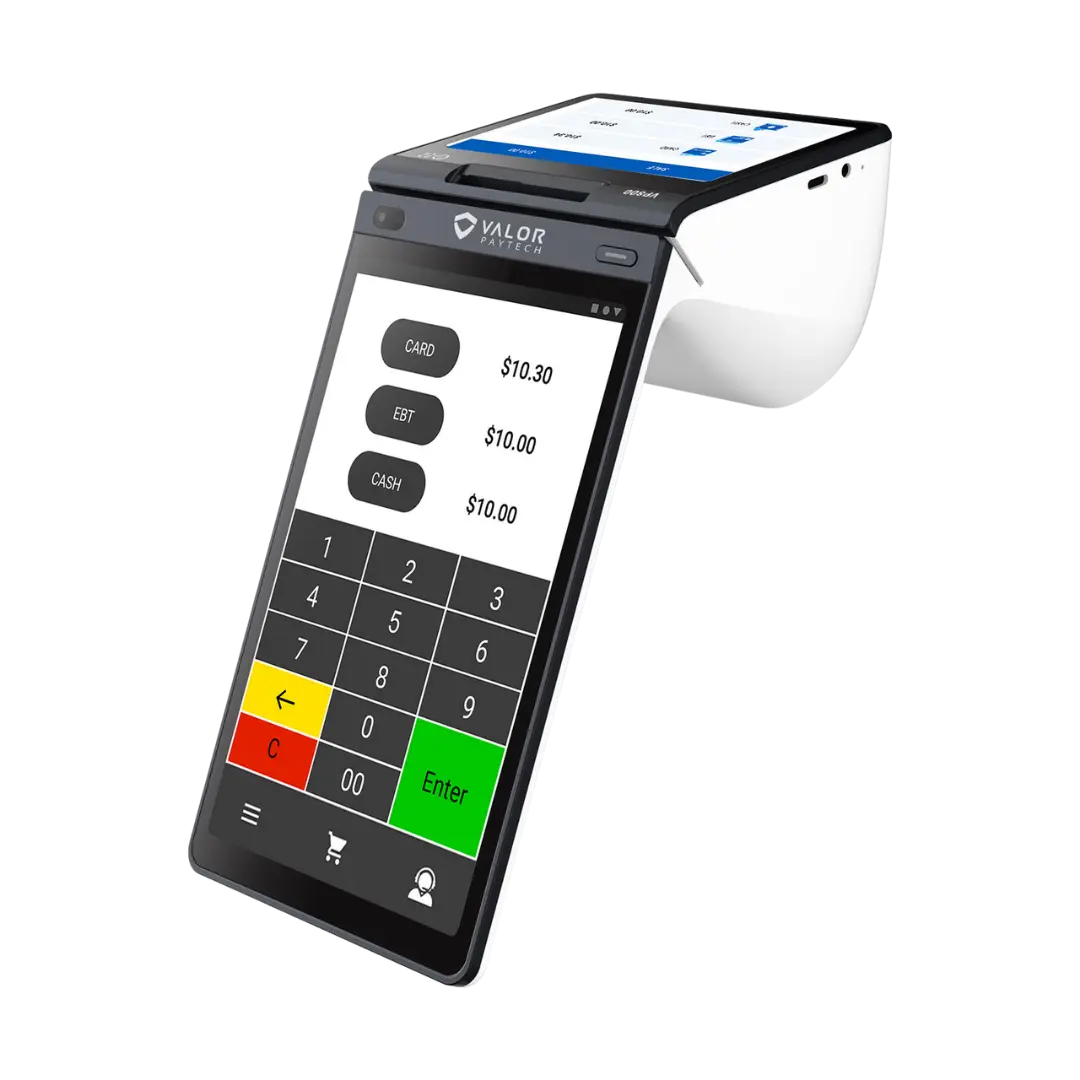
Valor VP800
All-in-One · Dual Display · Main CounterA strong fit when the checkout counter needs a more complete POS feel. The VP800 is built around dual touchscreens, including a merchant-facing display and customer-facing screen for clearer, more transparent checkout.
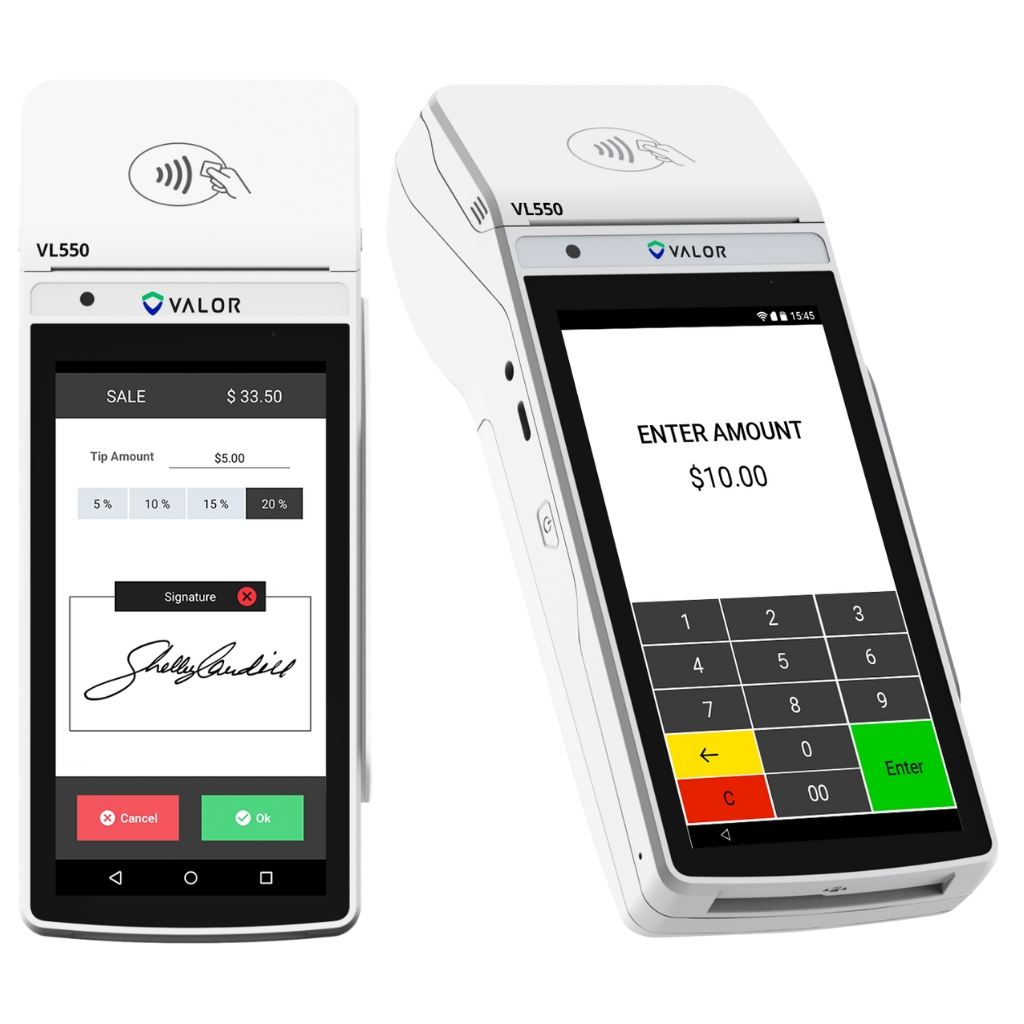
Valor VL550
Portable Android POS · Flexible CheckoutA portable option for businesses that need more flexibility than a fixed counter device. Useful for split billing, digital receipts, secure SMS or email transactions, and customer interactions away from one fixed station.
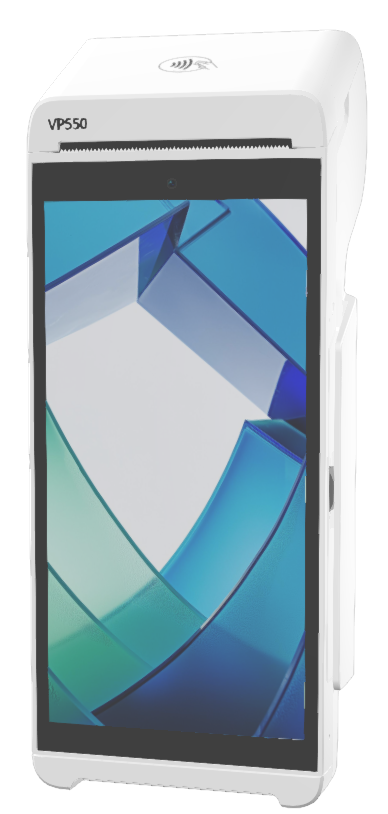
Valor VP550
Mobile POS · Menu + Inventory SupportA next-gen portable POS choice for businesses that want mobility plus operational tools. Valor positions the VP550 around a larger touchscreen, wireless connectivity, menu and inventory visibility, dual pricing, and customer engagement features.
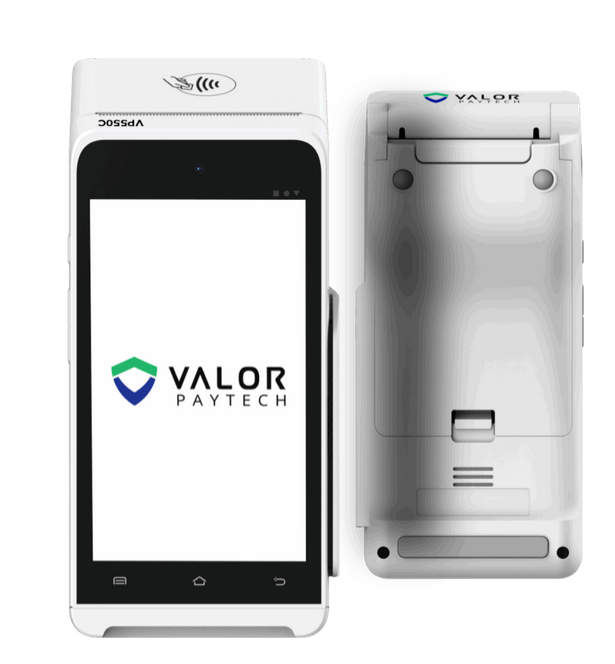
Valor VP550C
Countertop POS · Fast Checkout · High-Demand UseA countertop POS option for businesses that want a dependable front-counter device with a modern checkout experience. The VP550C is a strong fit when speed, stability, and daily counter use matter.
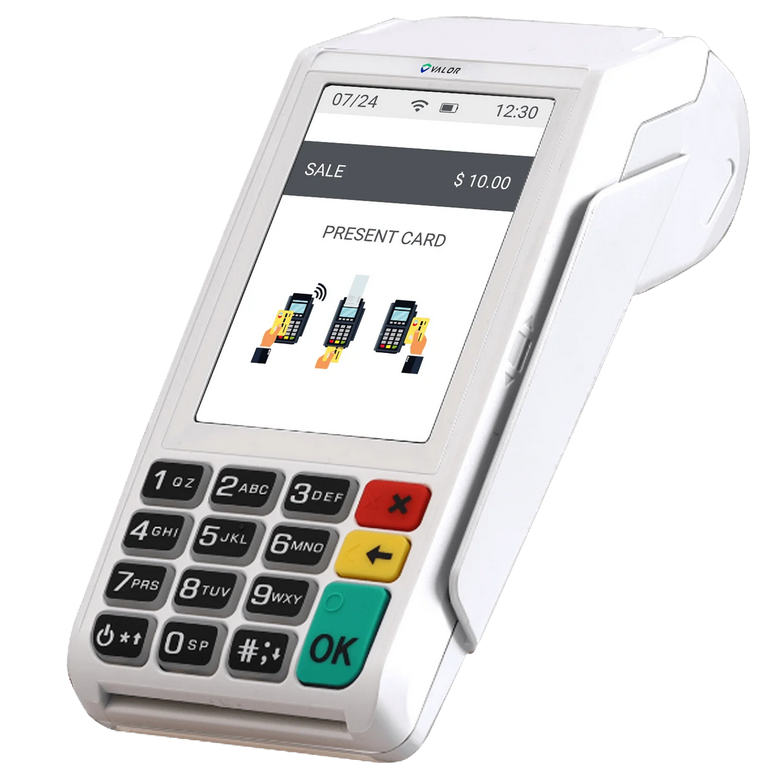
Valor VL110
Wireless POS · Portable · Tap Dip SwipeA wireless POS option for businesses that need a practical payment device without staying tied to one counter. Good for mobile checkout, flexible service areas, and simple customer-facing transactions.
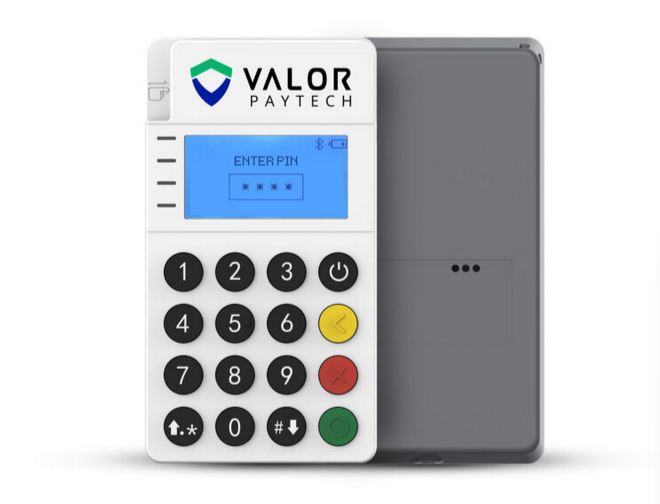
Valor RCKT
Pocket Mobile POS · Field PaymentsA compact mobile option for businesses that need payments away from a counter. RCKT is positioned as a pocket-sized Bluetooth device for secure tap, dip, and swipe payments with plug-and-play style mobility.
Six Ways Valor Can Accept and Manage Payment
Not every business needs all six. OmniPayUSA helps identify which combination fits how your customers actually pay.
Terminals + POS Devices
Card-present payment terminals and mobile device options for businesses that also need in-person acceptance alongside gateway and virtual terminal workflows.
Virtual Terminal
Accept card or ACH payments by phone, email, or through a browser — no card reader needed. Useful for invoice collection, phone orders, and office-based billing.
Gateway + Ecommerce
Payment gateway access for website checkout, Magento plugin integration, API and SDK connections, and embedded payment flows for custom software.
PayNow Links + QR Codes
Send a payment link by email or text that lets customers pay securely online. Generate QR codes for invoices, service locations, or printed materials.
Recurring Billing + Vault
Set up recurring payment schedules, store customer card and ACH details securely in the Valor vault, and manage subscriptions or repeat billing without manual follow-up.
Level 2 / Level 3 Data
Capture additional transaction detail for commercial and government cards — PO numbers, customer codes, tax IDs, and line-item data — where applicable to your card mix.
Fewer manual entries. Clearer payment records.
For businesses that use QuickBooks, Valor's integration helps keep payment activity, invoices, customers, and product details connected to the books — reducing the time spent manually matching transactions at the end of the week or month.
The Valor Portal gives owners and bookkeepers a place to review transaction history, funding activity, reports, recurring account status, and payment details without calling a support line or waiting for a monthly statement.
Payment TakenCard, ACH, or link
Valor GatewayRoutes + records
QB SyncAuto or scheduled
QuickBooksInvoice + ledger update
Valor PortalReports + history
Filter and review all transactions by date, channel, amount, or customer — without calling support.
Track deposits, settlement timing, and funding activity into your account.
Access monthly statements, batch summaries, and reconciliation data in one place.
Stored card and ACH details for repeat customers and recurring billing accounts.
See active recurring schedules, upcoming billing dates, and failed payment alerts.
User access, receipt settings, and configuration options without a support ticket.
Valor, Clover, CardPointe, and NMI — What Each One Is Actually Good For
Each platform has a different strength. The right choice depends on how your business accepts payment and what it needs from the back office.
| Option | Core Strengths | Best For |
|---|---|---|
| Valor PayTech | QuickBooks sync, PayNow links, virtual terminal, recurring billing, ACH, B2B-friendly data tools, Valor Portal reporting, gateway, tokenization, and ecommerce support. | Strong for: B2B, service providers, QuickBooks users, supply chain, government contractors, and online sellers needing gateway-level access. |
| Clover | Full POS with menus, modifiers, gift cards, loyalty, staff management, and customer-facing checkout. Easy for counter staff. App market for add-ons. | Strong for: retail counters, cafés, quick-service food, professional offices, and businesses that need a complete in-person POS with daily operational features. |
| CardPointe | Multi-channel payment management — virtual terminal, hosted payment page, terminals, mobile reader, B2B data support, portal reporting, and user management. | Strong for: multi-channel businesses needing one payment command center across phone, invoice, online, and card-present without a full POS requirement. |
| NMI | Gateway for ecommerce, embedded payments, white-label checkout, unattended kiosk, customer vault, recurring billing, API access, and multi-processor flexibility. | Strong for: software companies, SaaS platforms, unattended payments, ecommerce at scale, and businesses needing API-driven or white-label gateway infrastructure. |
We handle the setup and stay available after launch
Getting Valor configured correctly — gateway credentials, QuickBooks sync, recurring schedules, PayNow links, B2B data fields, and portal access — is where most owners need help. OmniPayUSA handles the configuration so you are not figuring it out alone.
Workflow Review
We look at how your business currently accepts payment, what the invoicing and bookkeeping flow looks like, and where Valor — or another tool — may reduce the manual work.
Gateway + Device Setup
We configure the gateway, virtual terminal, PayNow links, recurring billing, ACH, vault, and any terminal or mobile hardware — so the setup matches your actual workflow before you go live.
Training + Next Steps
We walk you and your team through the Valor Portal, reporting, recurring account management, and QuickBooks sync so the system is being used correctly — not just turned on.
How We Go From Conversation to Live Payments
No complicated proposals. We start with how your business works today and build the right Valor setup around that.
Map the Payment Flow
We review how your business currently collects payment — in-person, by invoice, by phone, by link, or recurring — and identify which Valor tools match each channel.
Choose the Right Tools
We recommend the right combination of virtual terminal, gateway, PayNow links, recurring billing, ACH, terminals, and QuickBooks sync based on your workflow and volume.
Set Up and Connect
We configure the gateway, terminals, portal access, recurring schedules, QuickBooks integration, and any B2B data fields — so the setup is ready before you take the first payment.
Train and Support
We walk through the Valor Portal with your team, explain reporting and recurring management, and stay available for questions and adjustments after launch.
What Business Owners Usually Ask About Valor PayTech
Is Valor only for retail stores?
Can Valor help with QuickBooks?
What does Level 2 and Level 3 support mean?
Do I still need a POS system?
Can OmniPayUSA compare Valor against other options?
Need help deciding if Valor is the right payment setup?
Tell us how your business accepts payment today — by invoice, by link, in person, by phone, or a mix. We will help you compare the right Valor setup, understand how QuickBooks sync may help, and identify any other tools that might be a better match.
Let's Find the Right Setup for Your Business
Whether you are ready to move to Valor or just comparing options, OmniPayUSA can help you understand the fit, configure the workflow, and keep the process practical.