Connect Your Payments to QuickBooks Without Creating More Back-Office Work
When payments, invoices, deposits, tips, refunds, and customer records do not match inside QuickBooks, bookkeeping becomes harder than it needs to be. OmniPayUSA helps business owners review payment gateway, POS, and accounting sync options so QuickBooks becomes part of the workflow instead of another place to clean up later.
The Problem Is Not QuickBooks. It Is the Gap Between Payments and QuickBooks.
QuickBooks can be powerful, but many businesses still enter sales manually, match deposits by hand, retype invoice payments, chase missing transaction details, and clean up reports after the day is already over. The issue usually is not one tool. It is the missing connection between the payment system and the accounting workflow.
Payments Do Not Match Invoices
A customer pays, but the payment record does not clearly connect to the invoice, job, order, ticket, or customer account.
Deposits Are Hard to Reconcile
Batch totals, fees, tips, refunds, chargebacks, and deposits may not line up cleanly without the right reporting setup.
Staff Retype Too Much
Manual entry creates delays, duplicate work, and room for mistakes when sales need to be entered into QuickBooks later.
The Owner Cannot See the Full Picture
When payment activity lives in one system and accounting lives in another, it becomes harder to understand cash flow quickly.
Who Needs a QuickBooks Payment Integration Review?
A wide range of businesses end up with the same payments-meet-accounting gap — just in slightly different ways.
Restaurants and Cafes
Need sales, tips, taxes, refunds, discounts, and daily totals to show clearly.
Retail Stores
Need POS sales, categories, deposits, and inventory-related reporting to be easier to manage.
Service Businesses
Need invoices, payment links, deposits, jobs, and customer payments to connect.
Contractors and Field Teams
Need virtual terminal, mobile, invoice, and recurring payments tied to customer records.
B2B Suppliers
Need invoices, customer accounts, commercial cards, Level 2/Level 3 review, and reporting.
Churches and Nonprofits
Need donations, payments, recurring giving, events, and reporting to be easier to track.
Multi-Location Businesses
Need sales activity organized by location, category, or reporting structure.
QuickBooks Integration Options OmniPayUSA Can Help Review
Five platforms, five different paths into QuickBooks. Here's a quick look at what each may fit, how it tends to connect, and what's worth verifying before setup.
NMI
May fit: Gateway-based payment workflows — virtual terminal, invoices, ACH, payment links, and customer vault.
QuickBooks path: QuickBooks SyncPay plug-in (QuickBooks Desktop) or gateway sync workflows, depending on setup.
Valor PayTech
May fit: POS card-present sales, virtual terminal payments, invoices, and recurring billing.
QuickBooks path: QuickBooks integration through the Valor Portal (Virtual Terminal and POS paths).
Dejavoo
May fit: Terminal and iPOSpays-powered gateway workflows with payment links, tip adjust, and L2/L3 fields.
QuickBooks path: iPOSpays QuickBooks integration (3-step setup) where the device and software support it.
CardPointe
May fit: Gateway payments, virtual terminal, hosted pages, tokenization, and reporting.
QuickBooks path: CardPointe integrations and third-party accounting sync tools — the older InstantAccept path is closed to new merchants.
Clover
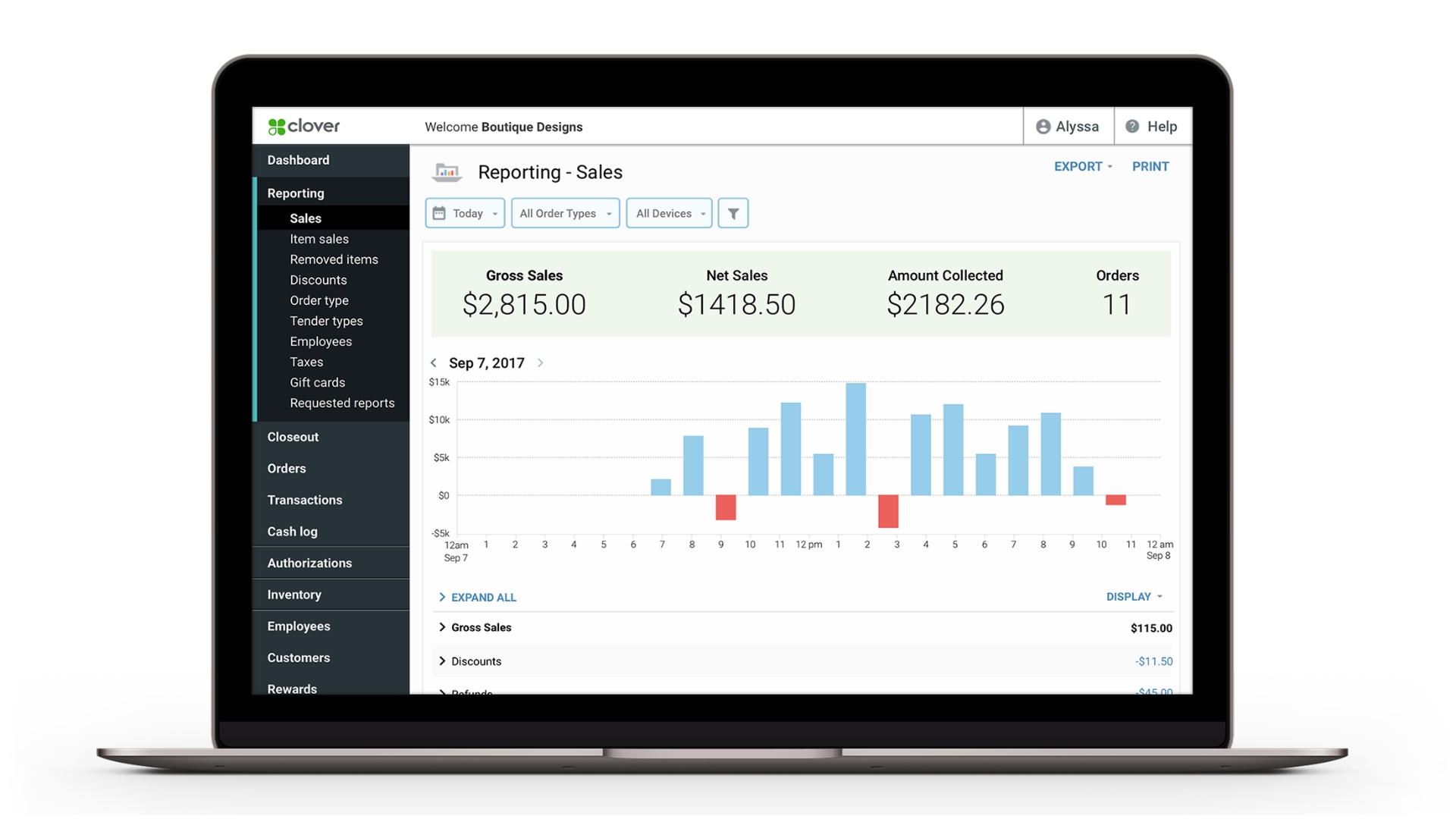
May fit: POS sales syncing for restaurants, retail, and service businesses.
QuickBooks path: Clover App Market apps such as Commerce Sync, syncing to QuickBooks Online or Desktop.
NMI + QuickBooks: Good for Gateway-Based Payment Workflows
NMI may be a strong fit for businesses that need gateway-based payment acceptance, virtual terminal workflows, payment links, ACH support, invoice-related payments, customer vault/tokenization, and accounting sync options.
NMI's QuickBooks SyncPay documentation describes two main functions: payment processing inside QuickBooks against invoices or receipts, and gateway sync, which pulls payments that were not run from QuickBooks back into QuickBooks and applies them to customer invoices or receipts. The NMI QuickBooks plugin documentation also describes support for both credit card and ACH transactions.
Best Fit
Feature Checklist
Valor PayTech + QuickBooks: Good for POS, Virtual Terminal, Invoices, and Reporting
Valor PayTech has QuickBooks integration resources that describe syncing transactions, managing invoices, and improving financial tracking through the Valor portal.
Valor may support syncing payment activity from card-present POS transactions, virtual terminal payments, invoices, refunds, recurring payments, customer information, and related transaction data depending on configuration.
Best Fit
Feature Checklist
Dejavoo + QuickBooks: Good for Flexible Terminal and Gateway Workflows
Dejavoo's software ecosystem, including iPOSpays/DVPay-style tools, references QuickBooks integration along with terminal, cloud register, payment link, tip adjust, L2/L3 auto-filling, and gateway-based features.
Best Fit
Feature Checklist
CardPointe + QuickBooks: Good for Gateway, Reporting, and Accounting Integration Review
CardPointe supports gateway-based payment workflows, virtual terminal, hosted payment options, tokenization, reporting, and integrations with third-party tools. CardPointe's integration page references accounting software like QuickBooks and lists third-party products such as Chargezoom and Biller Genie.
Best Fit
Feature Checklist
Clover + QuickBooks: Good for Restaurants, Retail, and Service Businesses Using POS
Clover can connect with QuickBooks through third-party apps such as Commerce Sync. The QuickBooks App Store listing for Clover by Commerce Sync describes automated transfer of Clover sales into QuickBooks Online or QuickBooks Desktop. Commerce Sync setup guides describe installing the app from Clover, connecting to QuickBooks, and transferring prior-day sales after orders are closed.
Best Fit
Feature Checklist
Which QuickBooks Integration Path Fits Your Business?
A quick reference — scroll sideways on mobile to see all columns.
| Platform | Best Fit | Common QuickBooks Path | Good For | What to Verify |
|---|---|---|---|---|
| NMI | Gateway and invoice-heavy workflows | QuickBooks SyncPay / gateway sync / third-party integrations | Virtual terminal, payment links, ACH, invoices, customer vault | QuickBooks version, plugin compatibility, ACH setup, gateway configuration |
| Valor PayTech | POS + virtual terminal + invoices | Valor Portal QuickBooks integration | Card-present sales, virtual terminal, invoices, refunds, recurring payments | Enabled Valor services, QuickBooks version, data sync settings |
| Dejavoo | Terminal and iPOSpays workflows | iPOSpays / Dejavoo software QuickBooks integration | Terminals, cloud register, payment links, tip adjust, L2/L3 support | Device model, gateway setup, iPOSpays configuration, QuickBooks version |
| CardPointe | Gateway, hosted payments, reporting, third-party accounting sync | CardPointe integrations, Chargezoom/Biller Genie/approved workflow review | Virtual terminal, hosted pages, tokenization, reporting | InstantAccept status, supported alternatives, merchant setup, third-party connector |
| Clover | POS sales syncing | Commerce Sync or other Clover App Market accounting sync apps | Restaurants, retail, service businesses, daily sales summaries | QuickBooks Online vs Desktop, Commerce Sync plan, categories, taxes, tips, refunds |
What a Clean QuickBooks Payment Workflow Can Look Like
A practical, step-by-step view of how a payment can move from checkout to the books.
Payment Is Collected
The customer pays through POS, invoice link, hosted page, virtual terminal, ACH, card-present terminal, or saved payment method.
Transaction Details Are Captured
The setup captures the information needed for accounting: amount, date, customer, invoice, tax, tip, refund, fee, category, or location.
Data Syncs or Exports to QuickBooks
Depending on the platform, data may sync automatically, post as a summary, apply to invoices, or export for reconciliation.
Deposits Are Matched
The owner or bookkeeper can compare sales, batches, fees, refunds, and bank deposits with less hunting.
The Business Gets Cleaner Reporting
Better payment records make it easier to understand revenue, cash flow, open invoices, and operational trends.
OmniPayUSA Helps You Choose the Right QuickBooks Payment Setup
OmniPayUSA helps business owners compare payment gateways, POS systems, virtual terminals, accounting sync tools, and QuickBooks workflows. The goal is not to force every business into one integration. The goal is to match the setup to how the business actually gets paid.
Integration Fit Review
Review whether NMI, Valor, Dejavoo, CardPointe, Clover, or another setup is the best fit for your payment workflow.
QuickBooks Workflow Planning
Decide what should sync, what should post as a daily summary, and what needs invoice-level detail.
Gateway and POS Setup
Configure payment tools around virtual terminals, payment links, POS devices, invoices, ACH, and reporting.
Reconciliation Support
Help business owners understand deposits, batches, refunds, tips, fees, and reporting access.
B2B Payment Review
For invoice-heavy companies, review Level 2/Level 3, customer accounts, commercial cards, and ERP needs.
Staff-Friendly Setup
Build a workflow your staff can actually use without needing to become accounting software experts.
QuickBooks Payment Integration Checklist
Run through this list before choosing — or changing — a QuickBooks payment integration.

QuickBooks Integration Examples by Business Type
Restaurant
Clover or Valor may help sync sales, tips, taxes, discounts, refunds, and daily totals into QuickBooks.
Retail
Clover, Valor, Dejavoo, or gateway tools may help organize sales, tender types, tax, category reporting, and deposits.
Service Business
NMI, CardPointe, Valor, or Dejavoo may support invoice payments, virtual terminal, customer vault, and QuickBooks workflows.
B2B Supplier
NMI or CardPointe-style gateway workflows may support payment links, commercial card review, Level 2/Level 3 data, and invoice reconciliation.
Church or Nonprofit
Gateway and recurring payment workflows may help organize giving, event payments, donations, and reporting.
Contractor
Virtual terminal, payment links, ACH, deposits, and QuickBooks sync can reduce back-office follow-up after field work.
FAQ: QuickBooks Payment Integration
Can OmniPayUSA help connect payments to QuickBooks?
Does NMI integrate with QuickBooks?
Does Valor PayTech integrate with QuickBooks?
Does Dejavoo integrate with QuickBooks?
Does CardPointe integrate with QuickBooks?
Does Clover integrate with QuickBooks?
Should I use QuickBooks Online or QuickBooks Desktop?
What information should sync into QuickBooks?
Will QuickBooks integration eliminate all manual work?
What should I review before choosing a payment integration?
Make QuickBooks Easier to Trust at the End of the Day
Your payment system should help your books, not create more cleanup. OmniPayUSA can help review your current setup and compare QuickBooks integration options across NMI, Valor PayTech, Dejavoo, CardPointe, Clover, virtual terminals, payment links, and accounting sync tools.
Source Notes
This page was written using publicly available official documentation and provider/marketplace pages as of mid-2026. Feature availability changes over time — OmniPayUSA can help verify current details for your specific setup.